
Your growing question database
The graph counts saved questions over time. It shows the learning record growing, rather than a test score.
A question is only the beginning. See how AI Kids explains the working, organises what you save and helps you choose what to practise next.
Follow a question through AI Kids ↓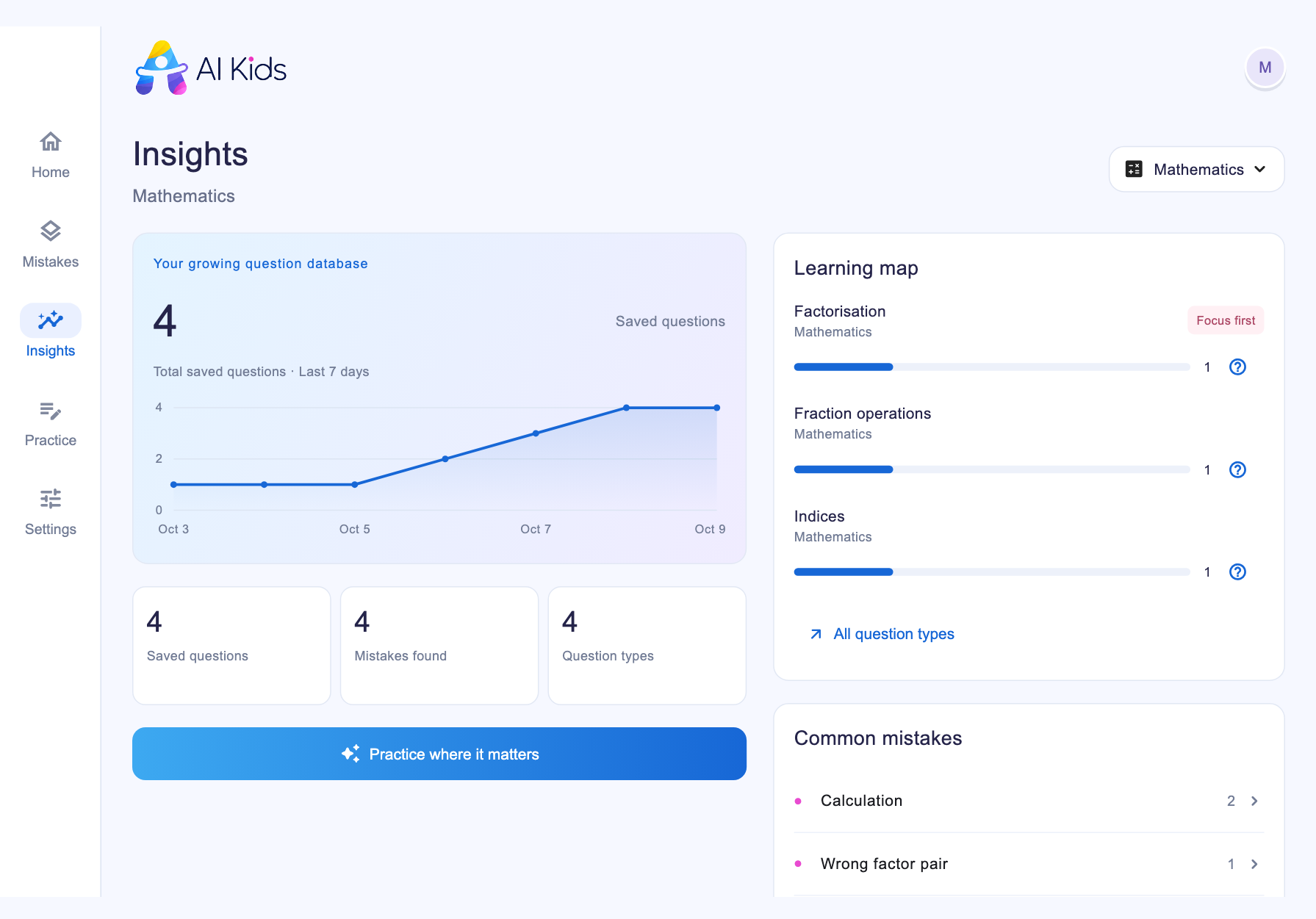 Enlarge screenshot ↗
 Enlarge screenshot ↗
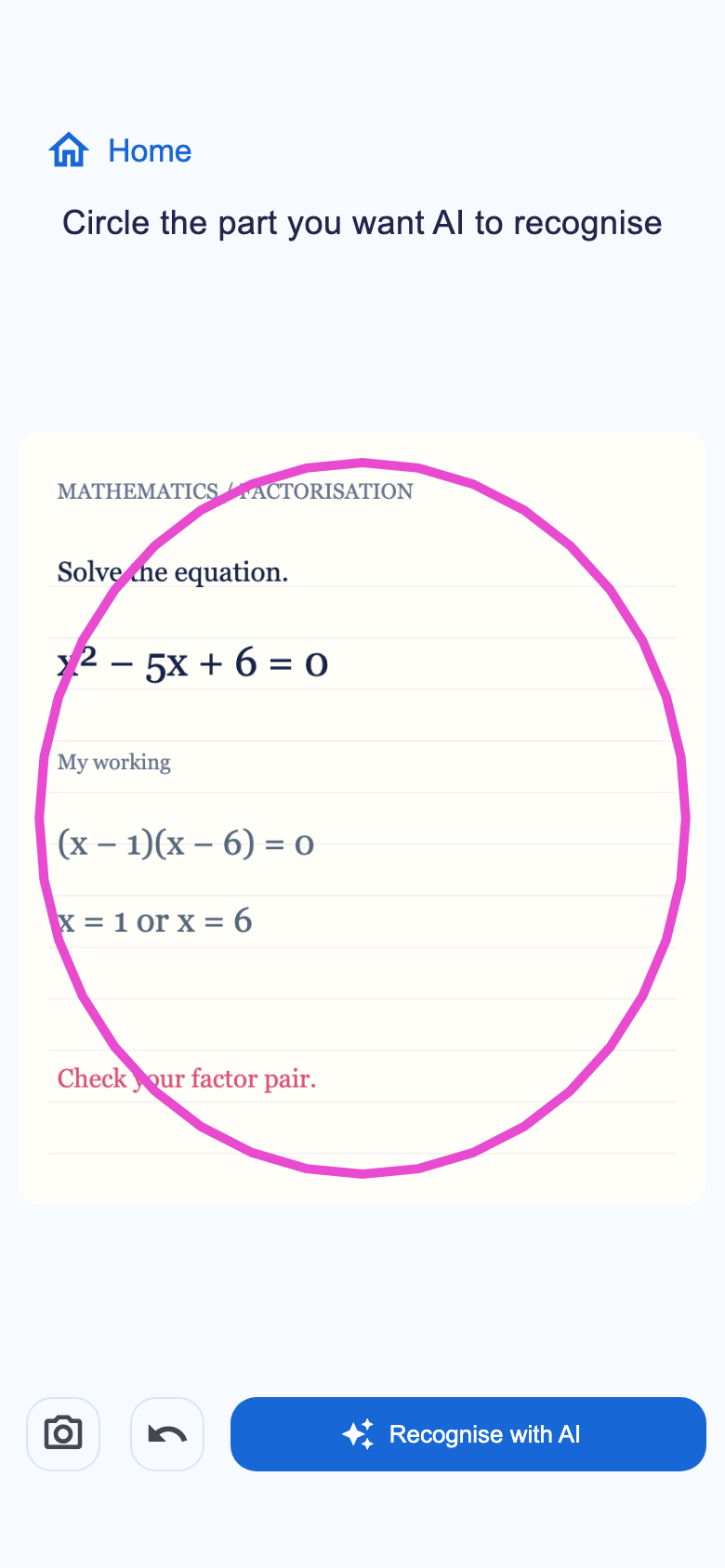
Start with a worksheet, homework or an exam paper. Photograph the page and circle the question you want help with, including any diagram and the child's working.
From a full page to the question that matters.
 Enlarge screenshot ↗
 Enlarge screenshot ↗
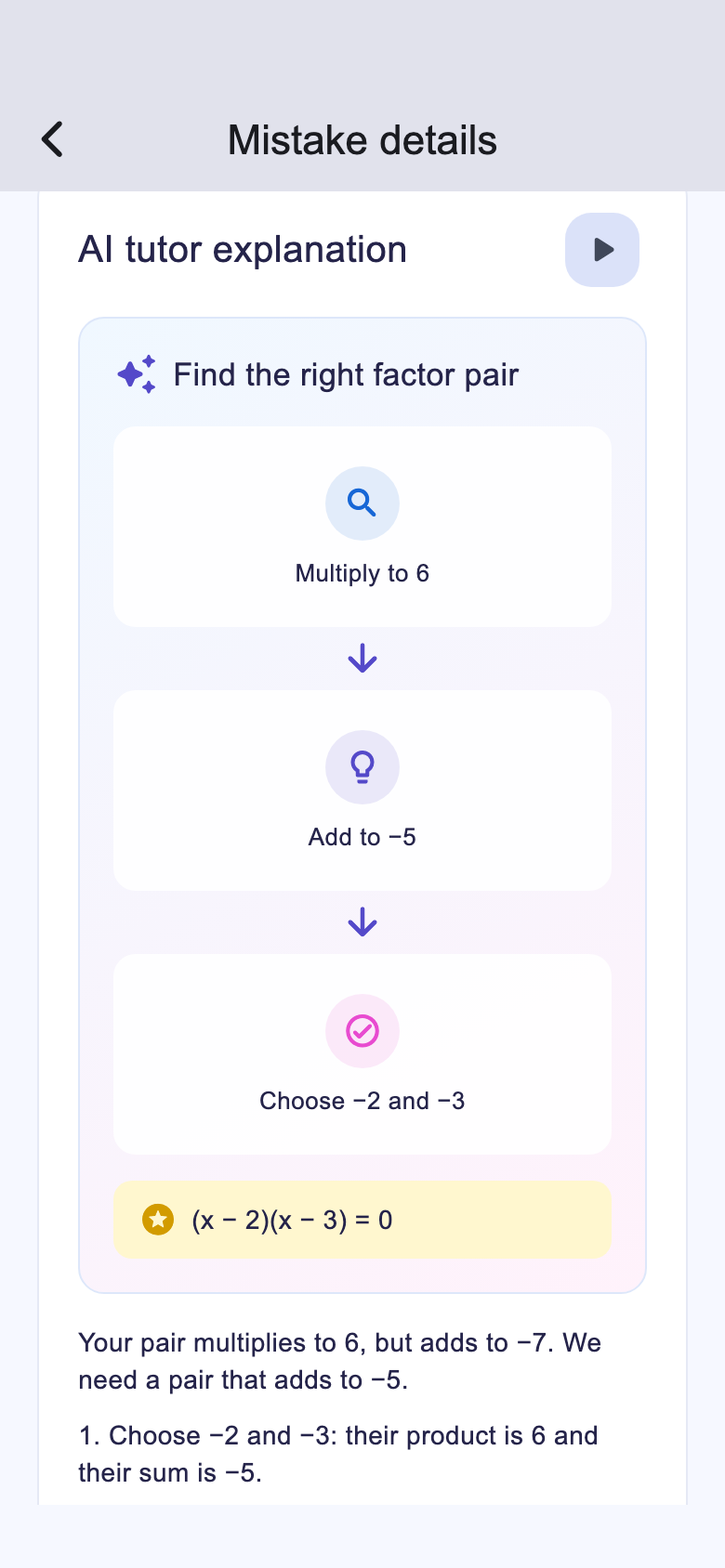
See how to reach the answer, step by step. Explanations use your child’s age and learning language to help them follow the reasoning.
Understand how to reach the answer.
Enlarge screenshot ↗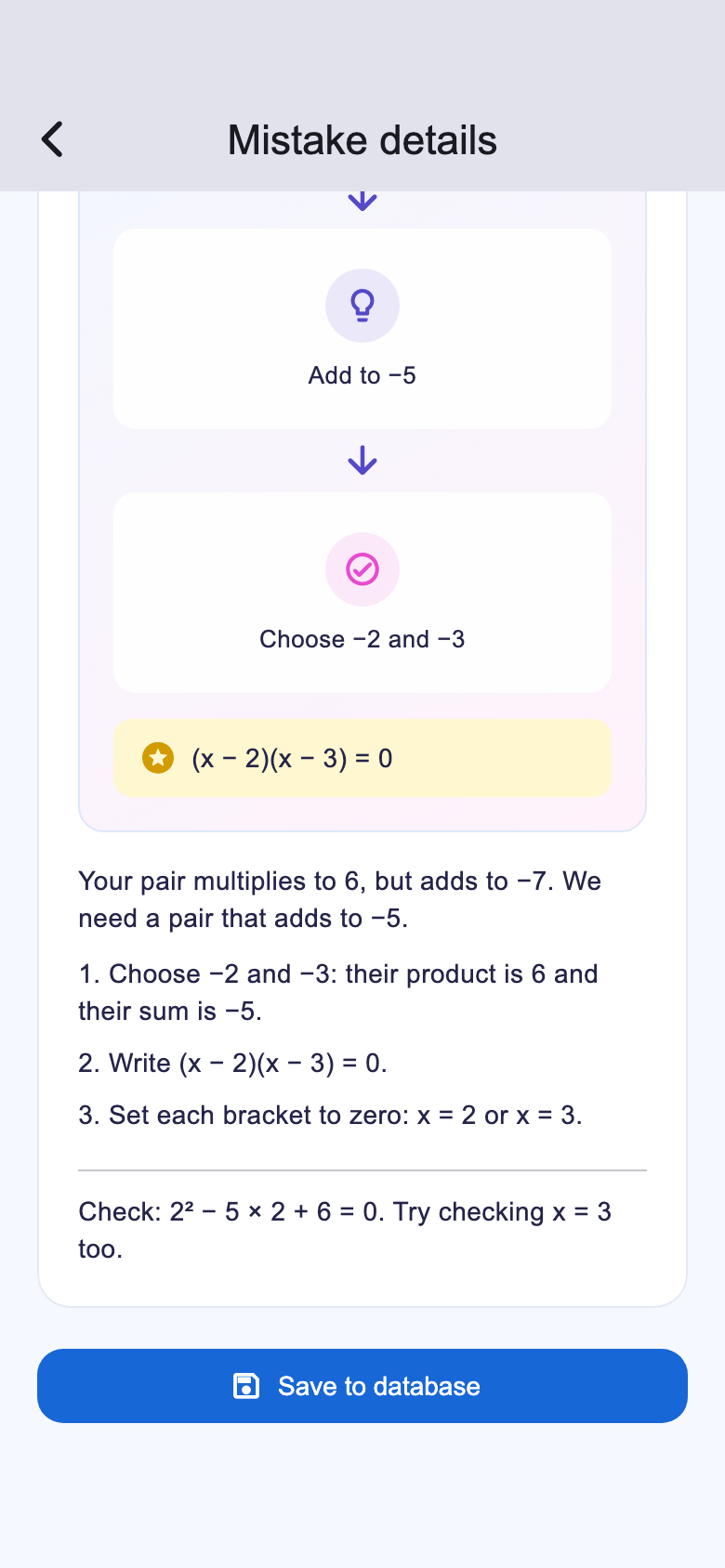 Enlarge screenshot ↗
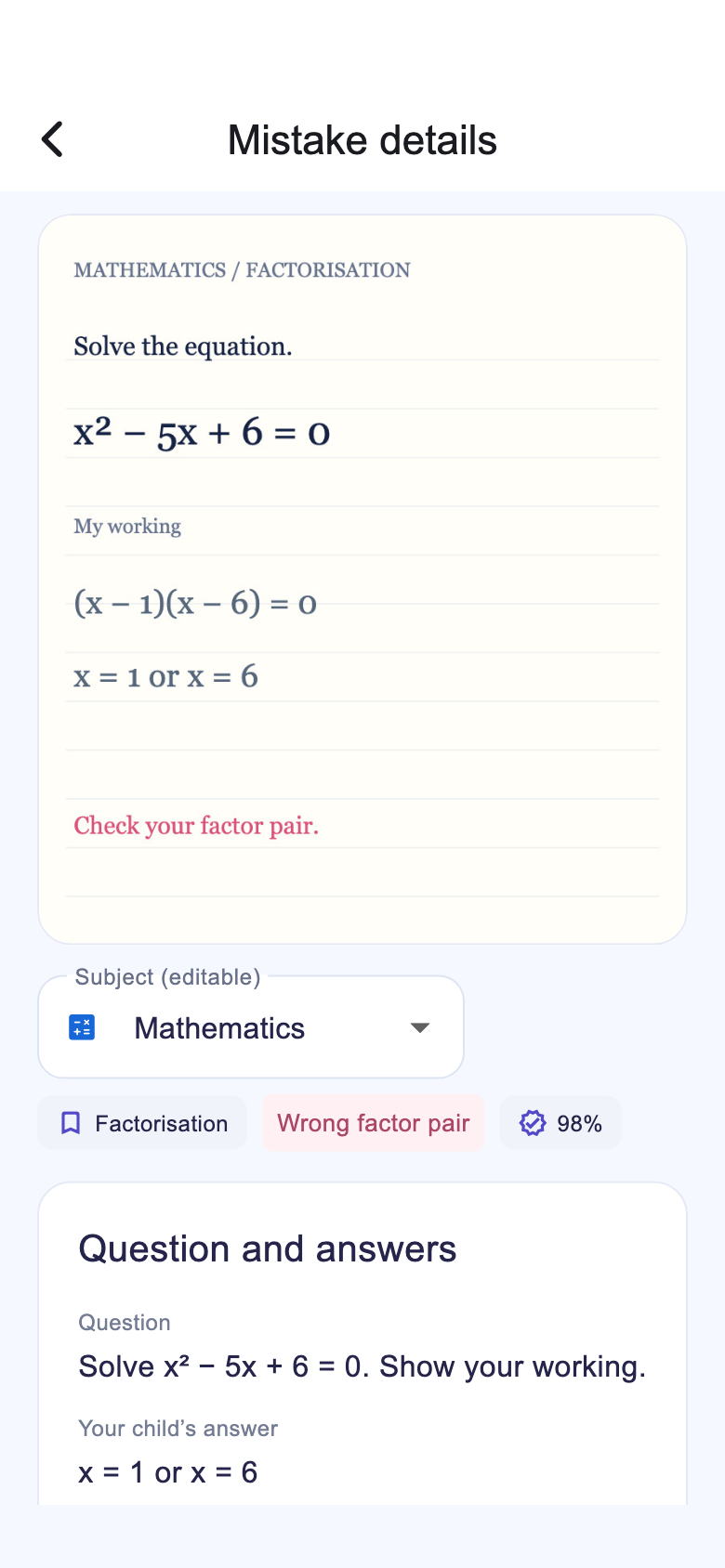
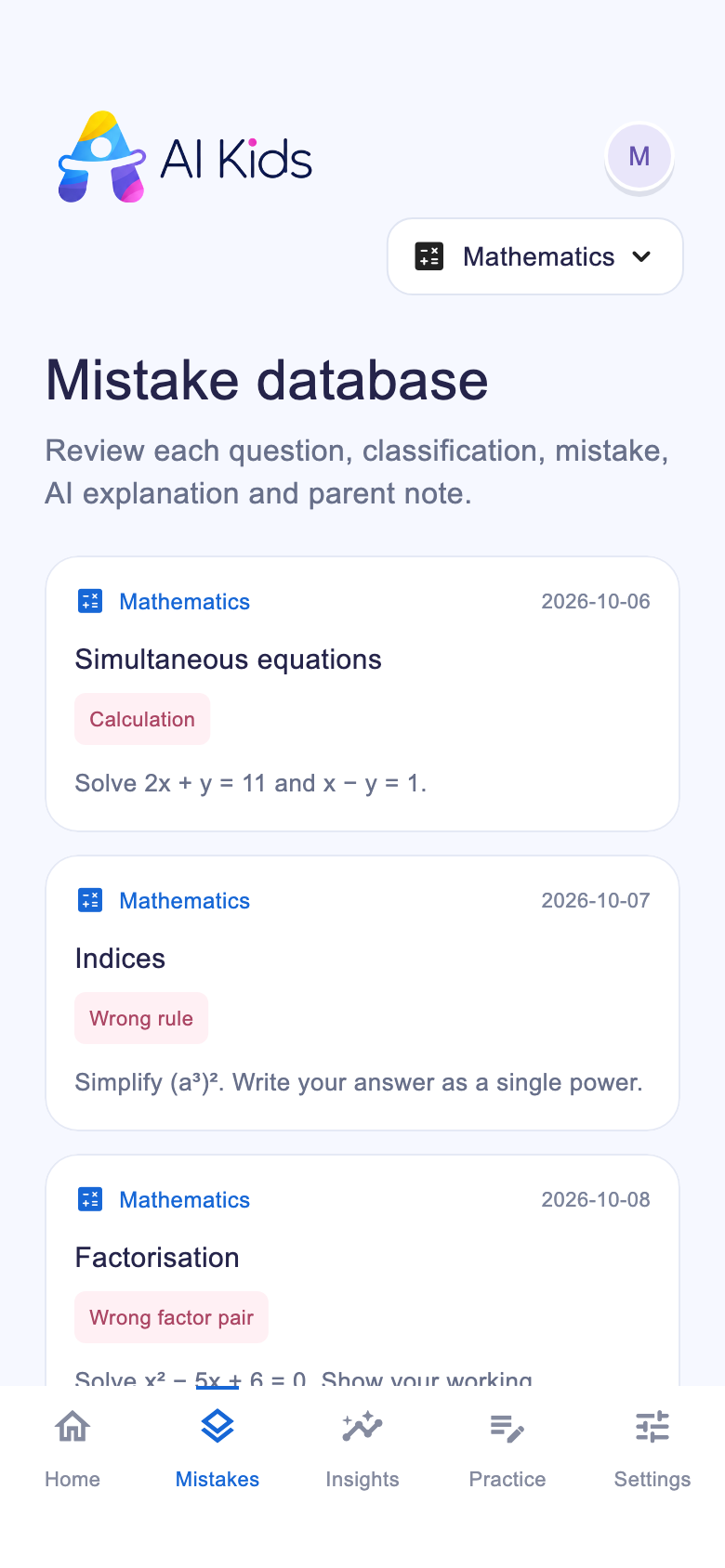
Each saved question becomes part of your child's learning history. Keep the question, answer, topic, mistake category and AI explanation together instead of losing them across worksheets.
A useful record that grows with every saved question.
 Enlarge screenshot ↗
Insights brings your saved work together in a dashboard. Filter by subject to see which question types appear and which mistakes come up most often, then use that picture to guide the next practice session.
Enlarge screenshot ↗The graph counts saved questions over time. It shows the learning record growing, rather than a test score.
See which topics appear in the saved work and where to look more closely.
Short labels help you spot recurring patterns and open the related questions.
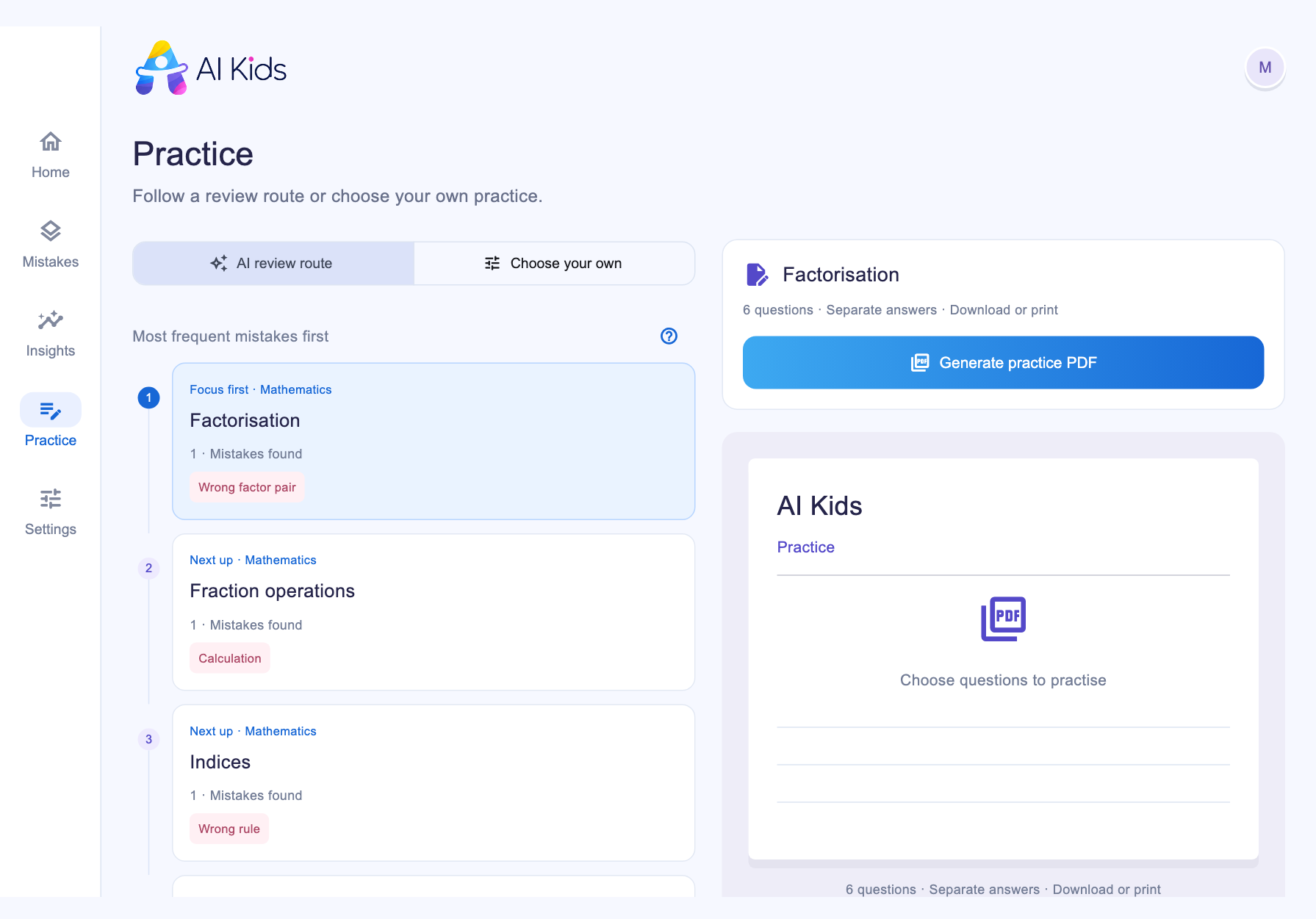
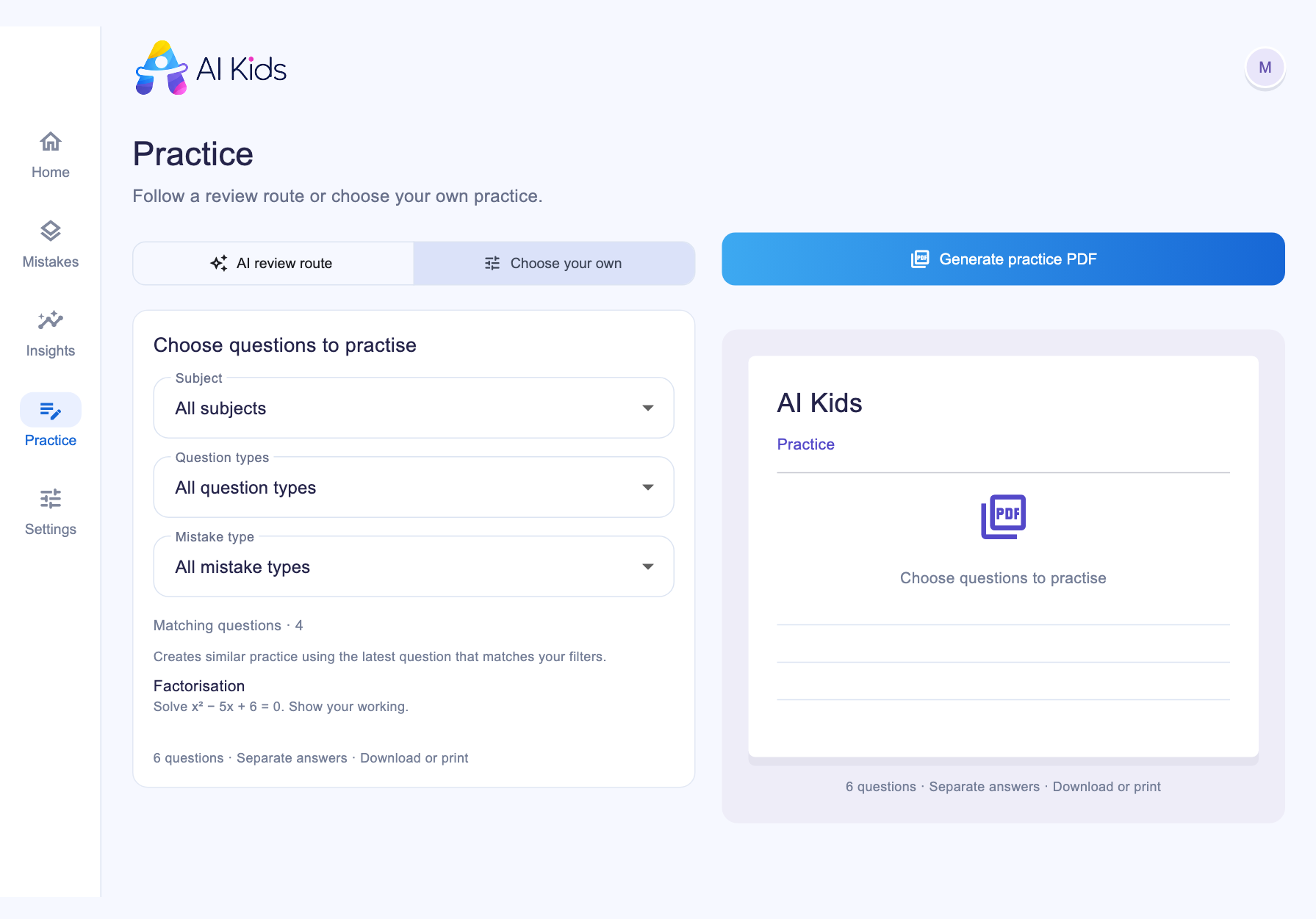
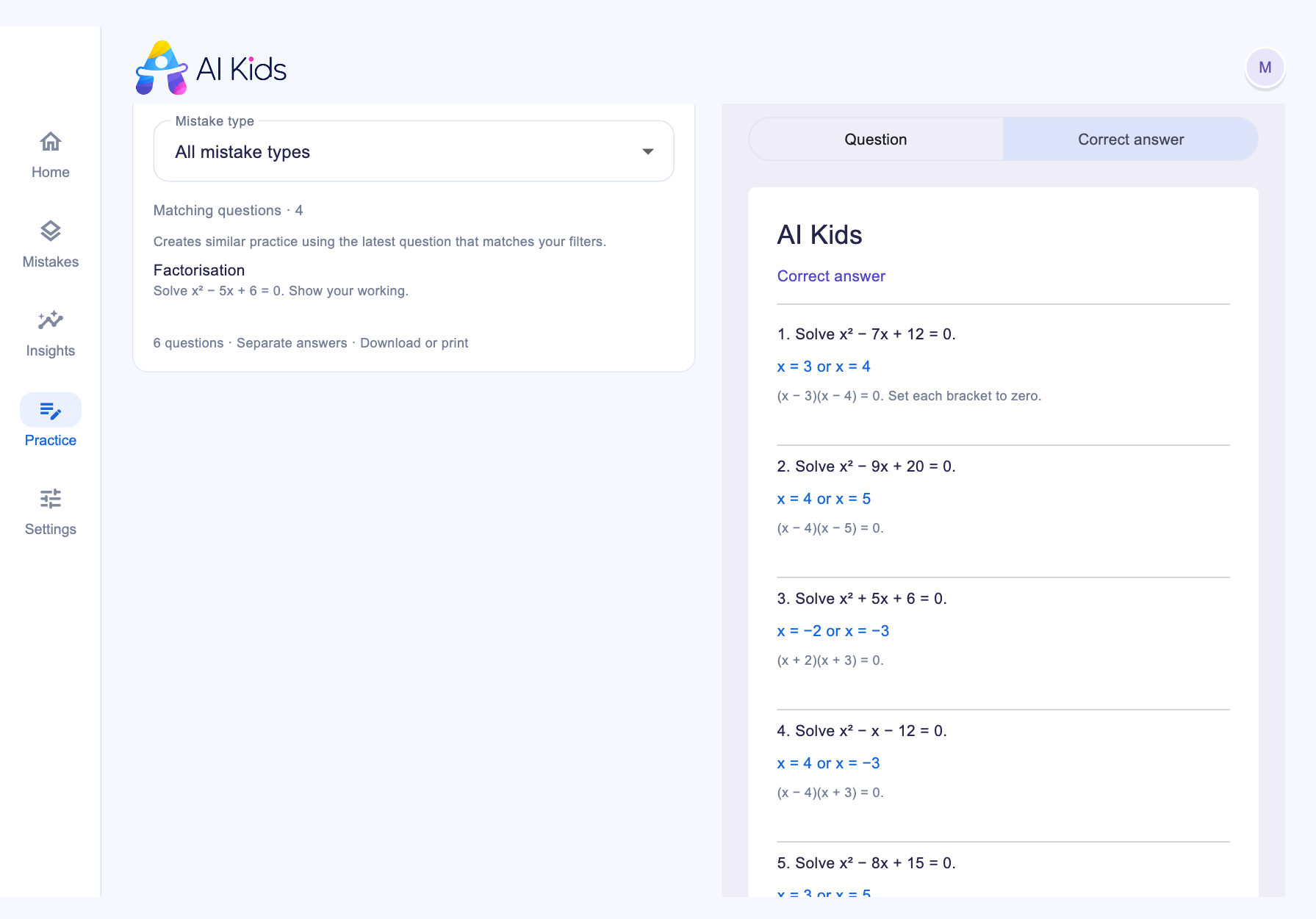
Create practice from the questions you’ve saved. Follow the suggested review route, or choose the subject, question type and mistake type yourself.
Personalised practice, ready to download and print.
 Enlarge screenshot ↗
 Enlarge screenshot ↗
 Enlarge screenshot ↗
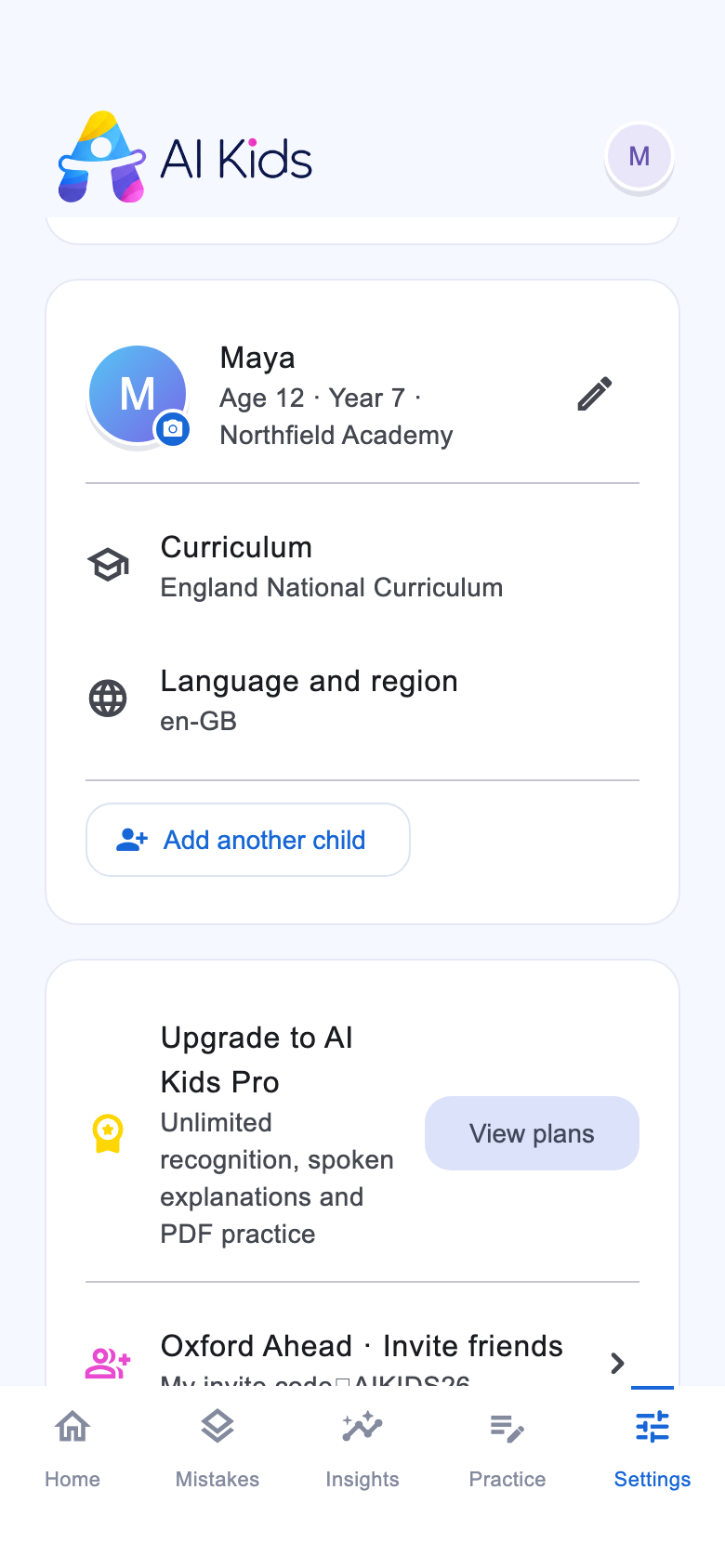
Children in the same family can need very different support. Create a separate profile for each child, then switch between their saved questions, insights and practice.
Their own profile. Their own next step.
 Enlarge screenshot ↗
No. AI Kids supports multiple school subjects. AI suggests the subject from the photo, and you can correct it. Subject choices grow from the questions saved in the child's database.
You can still save the question and read the explanation. If there is not enough working to identify a specific mistake, the app shows No Mistake Detail. It won’t guess a cause.
Practice is designed for downloadable PDFs. Print the questions for your child and use the separate answer pages to review the work together.
Yes. AI can make mistakes. A parent or teacher should check important answers and use the explanation as support for learning.